MUF-P7C PX4 Firmware
Where to Buy: MUF-P7C.
Overview
load firmware
MUF-P7C supports PX4. The following mainly explains how to load PX4 firmware.
Write firmware online:
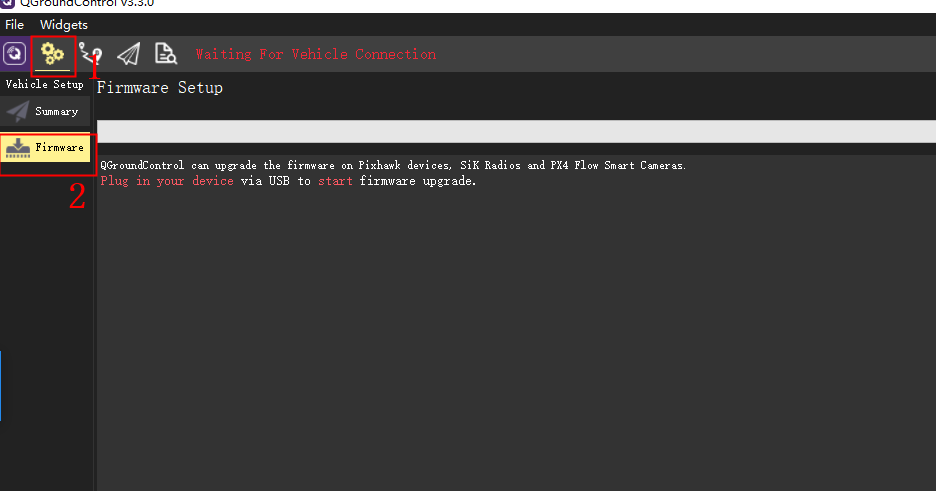
Connect the flight controller to the computer, open the QGroundControl ground station, click the setting icon > click firmware.
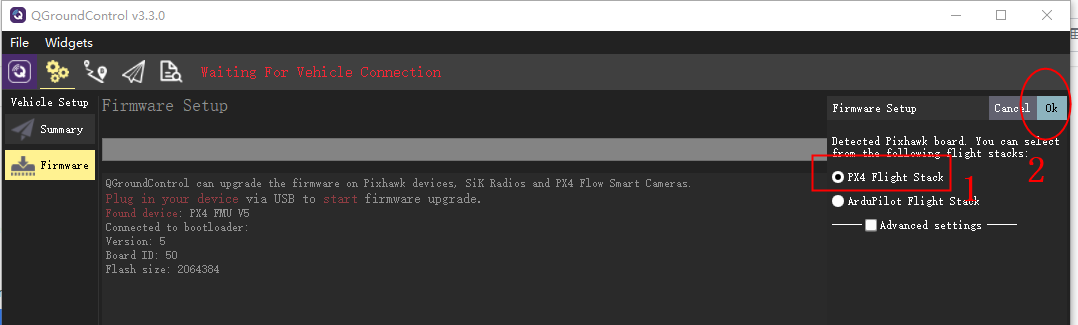
Connect the flight controller to the computer through the usb cable, the following window will pop up on the right side of the ground station "Select PX4 Flight STACK required" OK
Write to local firmware:
- Download X7+/X7+ PRO firmware or Nora/Nora+ firmware to local.
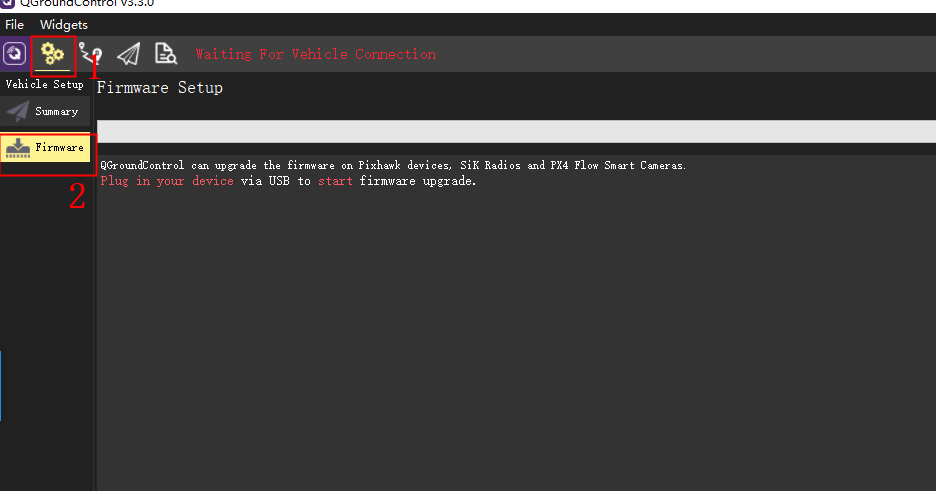
- Open the ground station > click the settings icon > click firmware
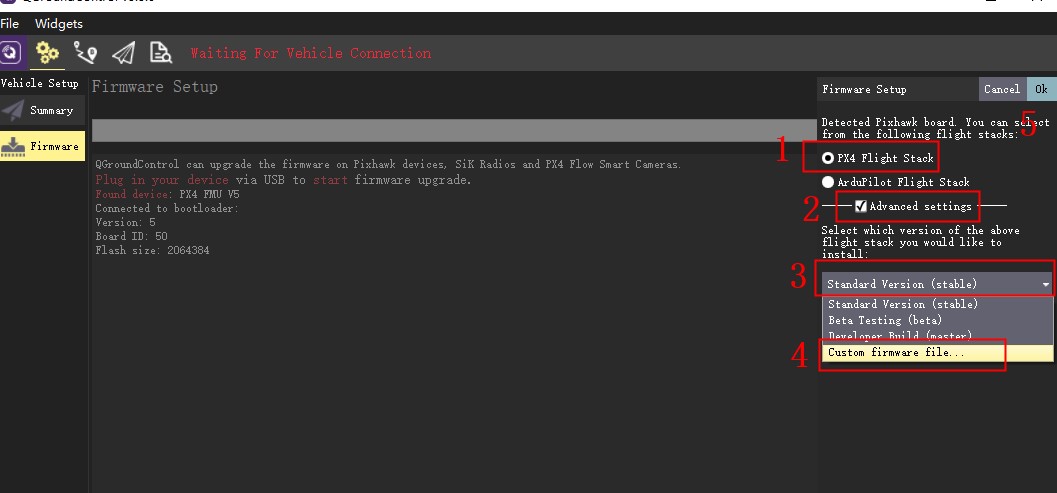
- Connect the flight controller to the computer through the usb cable, the following window will pop up on the right side of the ground station "Select PX4 Flight STACK required" Check advanced settings>custon firmware file "Find the downloaded firmware" ok
Serial Port Mapping
| UART | Device | Port |
|---|---|---|
| USART1 | /dev/ttyS0 | GPS1 |
| USART2 | /dev/ttyS1 | TELEM1 |
| USART4 | /dev/ttyS2 | GPS2 |
| USART6 | /dev/ttyS3 | TELEM2 |
| UART7 | /dev/ttyS4 | Debug Console |
| UART8 | /dev/ttyS5 | RC |
Building Firmware
It is pre-built and automatically installed by QGroundControl when appropriate hardware is connected.
To build PX4 for this target:
make cuav_x7pro_default.
Supported Platforms / Airframes
Any multicopter / airplane / rover or boat that can be controlled with normal RC servos or Futaba S-Bus servos. The complete set of supported configurations can be seen in the Airframes Reference.
Power module
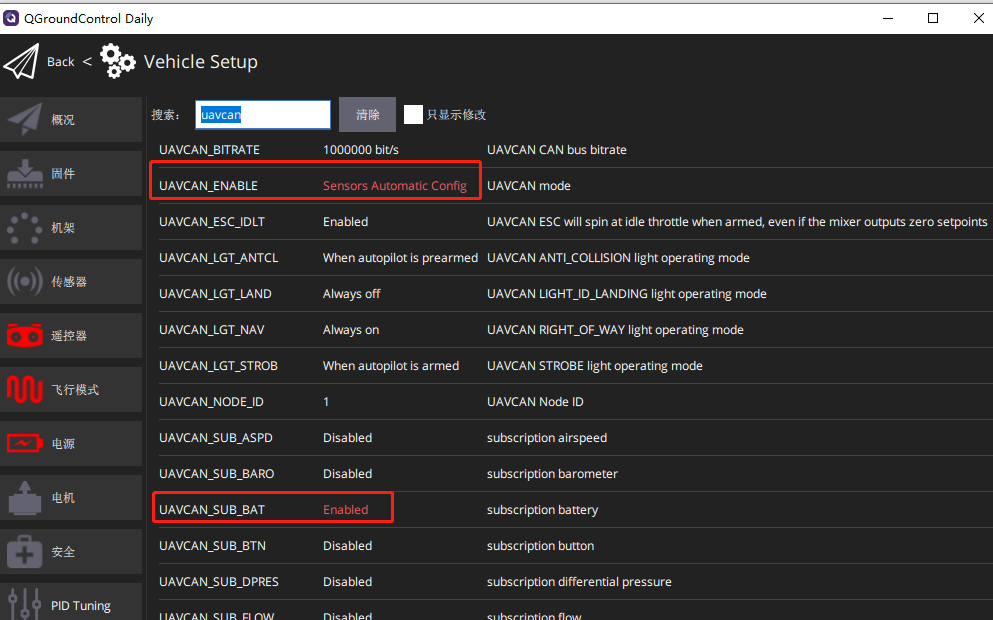
The autopilot includes a DroneCAN power module and battery monitor(CAN PMU lite),CAN PMU Lite connected to Power C,set the following parameters:
- Connect to QGC Ground Station > Settings > Parameter Settings
- Set UAVCAN_ENABLE parameter to Sensors Automatic config
- Set the UAVCAN_SUB_BAT parameter to Enabled
- Write parameters and restart
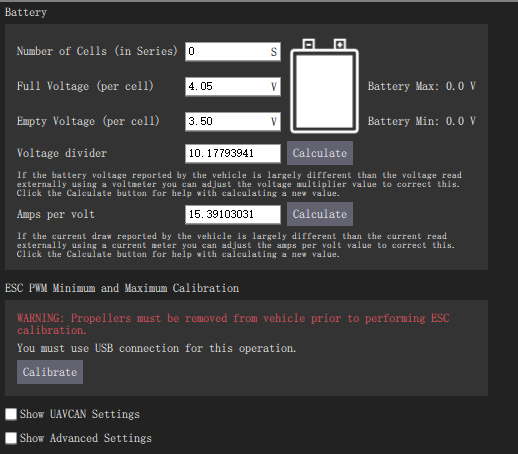
If you are using an analog battery monitor(such as HV_PM power module),connect to the Power A connector and set the following parameters:
- Number of Cells :According to your battery to settings.
- Full voltage:The voltage of each section, the lithium battery is generally 4.2v
- Empty voltage:LiPo batteries are generally 3.7v, depending on the battery.
- Voltage divider: 18
- A/V:24
More info